






Your Parent Dashboard
This guide explains how to navigate and understand the Parent Dashboard and all of its features. The dashboard acts as your family command center where you can monitor activity, manage tasks, review quests, and track your children’s progress.
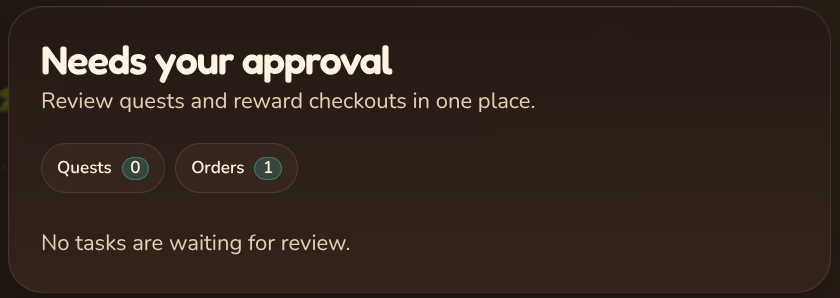
✅ Needs Your Approval
This section allows you to review any pending quests submitted by your children and view any active marketplace orders they have placed.
You will see the following buttons:
- Quests
- Orders
Clicking on either button will expand the list so you can review and approve quests or review order activity.
🔁 Quick Actions
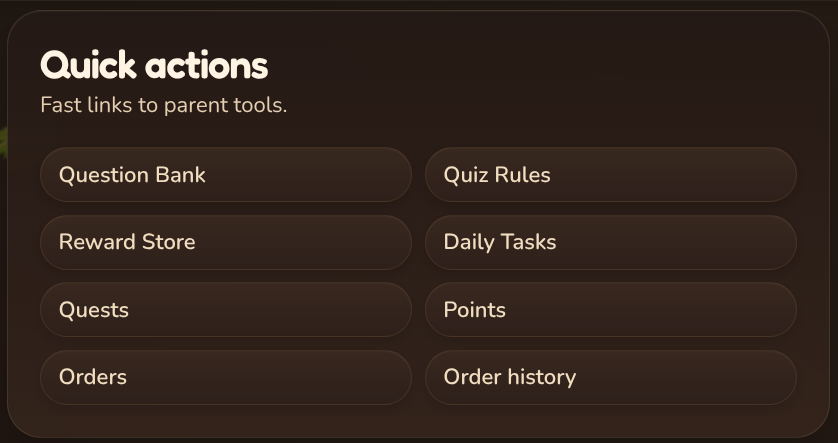
The Quick Actions section provides fast access to commonly used management tools.
You will find links to the following areas:
-
Question Bank
- This is where parents create and manage questions used in quizzes for their children.
-
Points & streaks
- This section allows parents to configure how quizzes behave, including point values for questions and penalties for incorrect answers.
-
Reward Store
- This is where parents manage rewards available in the Marketplace for their children to redeem.
-
Quest Manager
- This is where parents can create and manage quests for their children.
-
Order History
- This section allows you to view all previously completed Marketplace orders.
-
Daily Tasks
- This section allows parents to create and manage recurring daily tasks or chores for their children.
-
Orders
- This page shows all active Marketplace orders placed by children.
📌 Child Snapshots
This section highlights each of your children individually and displays important progress information.
For each child you can see:
- Current points
- Selected savings goal
- Goal completion percentage
- Total quizzes completed
- Total daily tasks completed
- Total rewards redeemed
- Total favorited items in the Marketplace
These statistics are displayed individually for each child. You can also award points directly from this section or open detailed analytics for deeper insights into your child’s activity.
🧠 Smart Snapshots (Premium)⭐
With Premium, Smart Snapshots show you what matters most right now.
You get a quick insight and simple next steps to help keep everything on track, tailored to your family system.
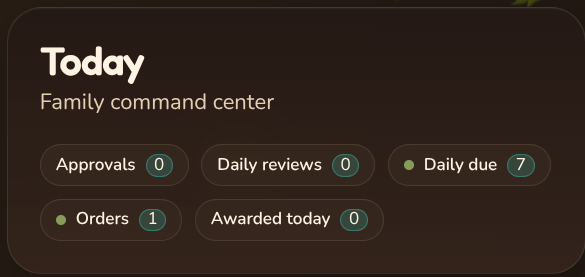
🕒 Today
This section acts as a daily overview of your family’s activity.
It shows the following information:
- Approvals
- Daily reviews
- Tasks due today
- Orders
- Total points awarded today
This helps you quickly see what actions may require your attention.
⚠️Family Snapshot
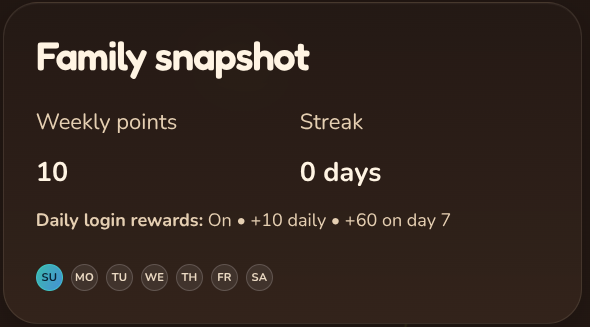
The Family Snapshot shows your family’s overall consistency and progress in RewardRoots.
This section displays:
- Your family’s total weekly points
- Your family’s activity streak
- A visual view of which days your family has been active or inactive
This helps parents track consistency and engagement over time.
✍️Award Points
This section allows parents to quickly award points to their children or open the full activity management tools.
You will see two options:
- Open Award Sheet
- Activity Center
The Award Sheet allows quick point rewards, while the Activity Center shows detailed activity and history.
🎯 Daily Tasks
This section highlights important information about your family’s task activity.
It displays:
- Total active daily tasks
- Total tasks completed today
- Manage Daily Tasks button
- View Task History button
This allows parents to quickly manage tasks and review task performance.
🚧 Question Bank Health (Premium)⭐
With Premium, Question Bank Health shows how your questions are performing.
See which questions are too easy, being memorized, underused, or need review based on accuracy, so you can keep quizzes balanced and effective.
💡Recent Activity
The Recent Activity section shows the latest actions taking place in your family account.
Examples of activity include:
- Rewards being redeemed
- Points being awarded
- Points earned from quizzes
- Points earned from daily tasks
- Points earned from quests
This feed allows parents to quickly stay updated on everything happening within their family account.